Customer service center
FAQ

Dear player, to speed up our process and provide you a prompt feedback, please provide detail information regarding your issue.Below are "Frequently asked questions" and the information required for prompt feedback, please provide them accordingly, thank you.

How to report online

How to use web login and online reports:
1. Go to our webpage (PC) and locate "Questions" under Customer Service.
(For mobile version Customer Service should be located on the upper left corner)
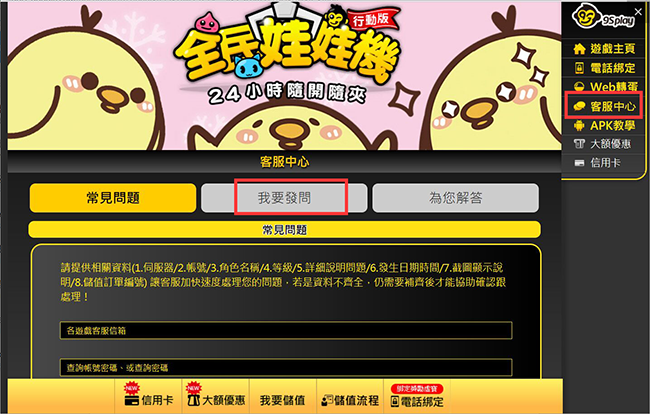
2. Select your game, then proceed to login
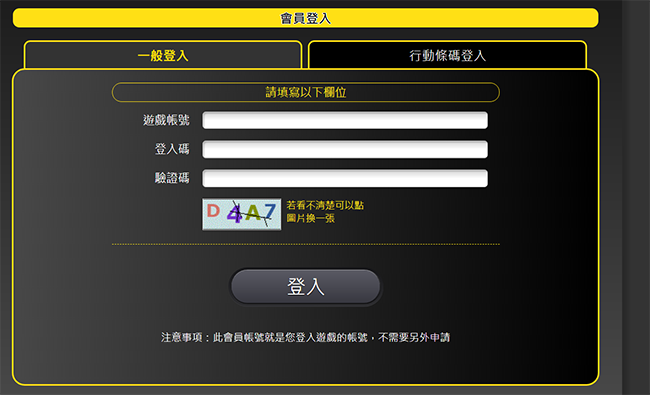
How to obtain Game Account and Login Code:
(1) Enter the App and tap on the 9splay icon (Monkey Icon)
(2) Select 'Account' on the left and copy your 'Game Account' and 'Login Code'. (You must bind your account first to generate a Login Code, the code also expires 3 minutes after generation)
(3) To go 9splay webpage and locate "Web top-up", then select your game
(4) Use your 'Game Account' and 'Login Code' to login
(Note: If you use a 9Splay Account /Password to login to your games, you can login directly)
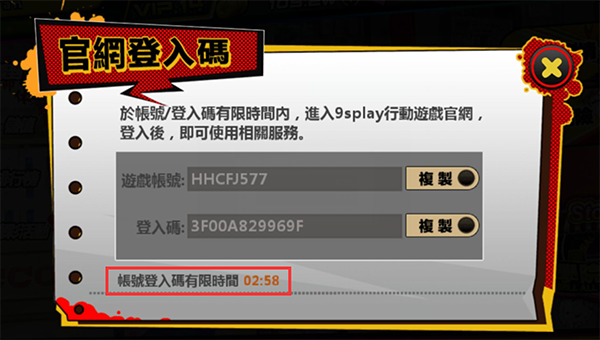
3. Please bind your mobile number before proceeding
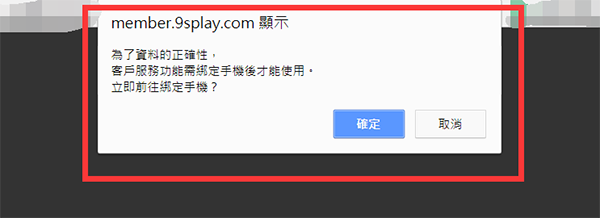
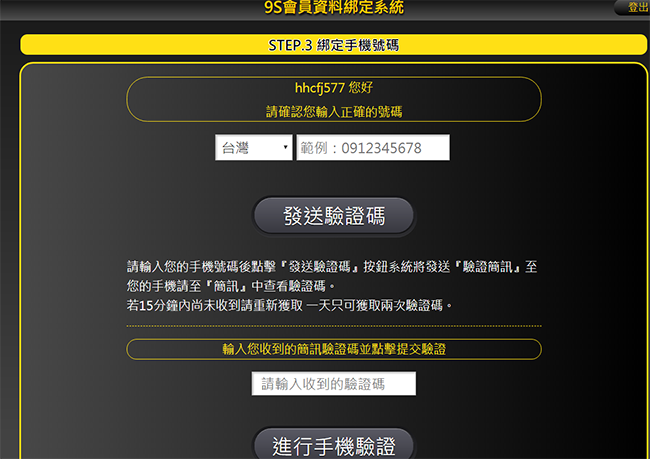
4. You may use online reports after verification:
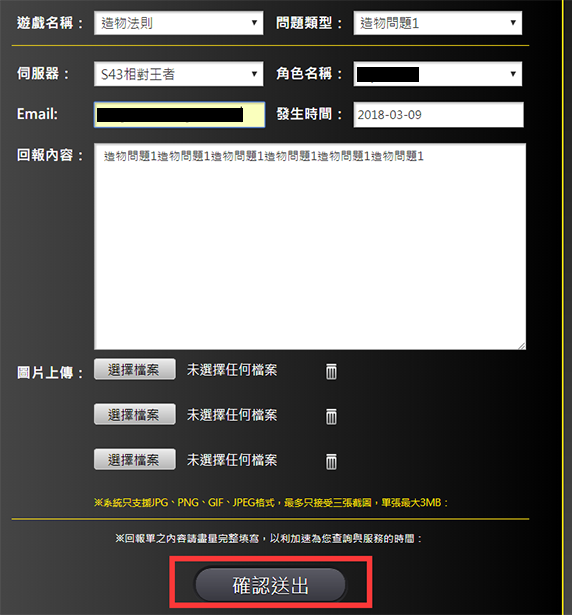
Fill out your report form (you may upload screenshots):
Click send after filling out the form
5. You may check the progress of your issue after reporting
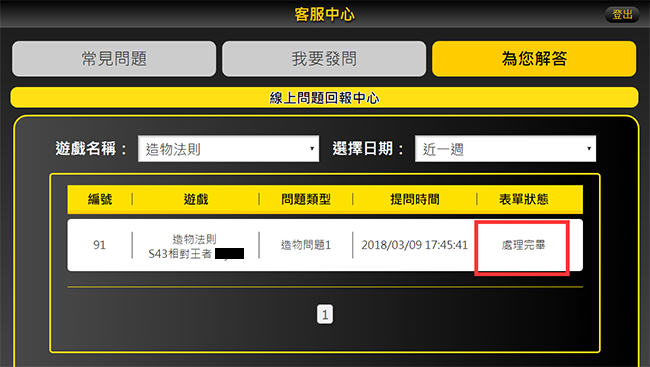
Find Account/Password

Please provide the following information:
1.Game account
2.Character name
3.Server played on
4.Level
5.Payment records (ie: MyCard payment successful serial numnber, Google Play payment receipt..etc)
6.Legal full name and contact number
7.Download service form and affidavit letter

If you are experiencing issue with Web Payment, MyCard payment, or Micropayments, please contact MyCard customer support first

Taiwan users contact: (02) 2651-0754
Hong Kong users contact: (852) 2334-8869
Transaction records for MyCard online point purchase
or contact MyCard customer service
MyCard customer serice will provide you with a serial number if they confirm your payment was successful. Please provide this serial number along with Account, Server, Character name and purchased item for us to verify.

If you are experiencing issue with Google Play or Apple payment orders, please check if you have received an order receipt.

If you paid via credit card but did not receive an order receipt (or received an SMS payment notice), then the order was not successful and you will not be charged.

If you received an order receipt from Google Play or Apple but did not receive your in-game currency

Please provide the following information:
1.Game account
2.Character name
3.Server played on
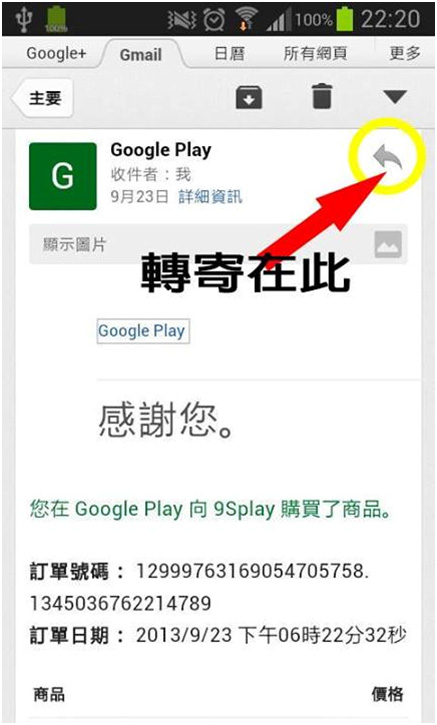
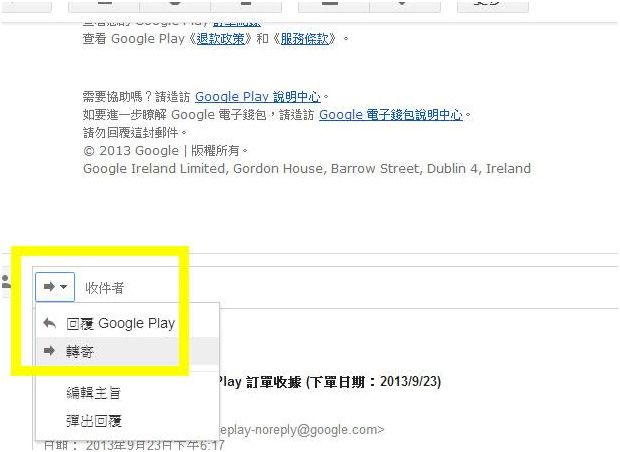
4.Order number info (Order number account, time of purchase, item purchased - fastest way is to forward Google Play's order receipt email, when doing this please change your mail title to avoid the mailthread being included with other users)

Forward Google Play order receipt

Use your Google Play account and password to login to Gmail (https://mail.google.com), your Order Receipt mail from Google Play is sent to this mailbox. Locate the Order Receipt mail for the transaction in which you did not receive the in-game currency, then Forward the mail to the customer service mailbox for your corresponding game. Remeber to change the mail title to include your Character Name and Server.
.PC version method:

.Mobile version method: